The Execution OS for Traders.
TradeForgeOS turns MetaTrader 5 into a programmable execution engine. Build conditional trade logic visually, automate position management, and run it 24/7 — even with your phone off. No code. Your broker, your account, your rules.
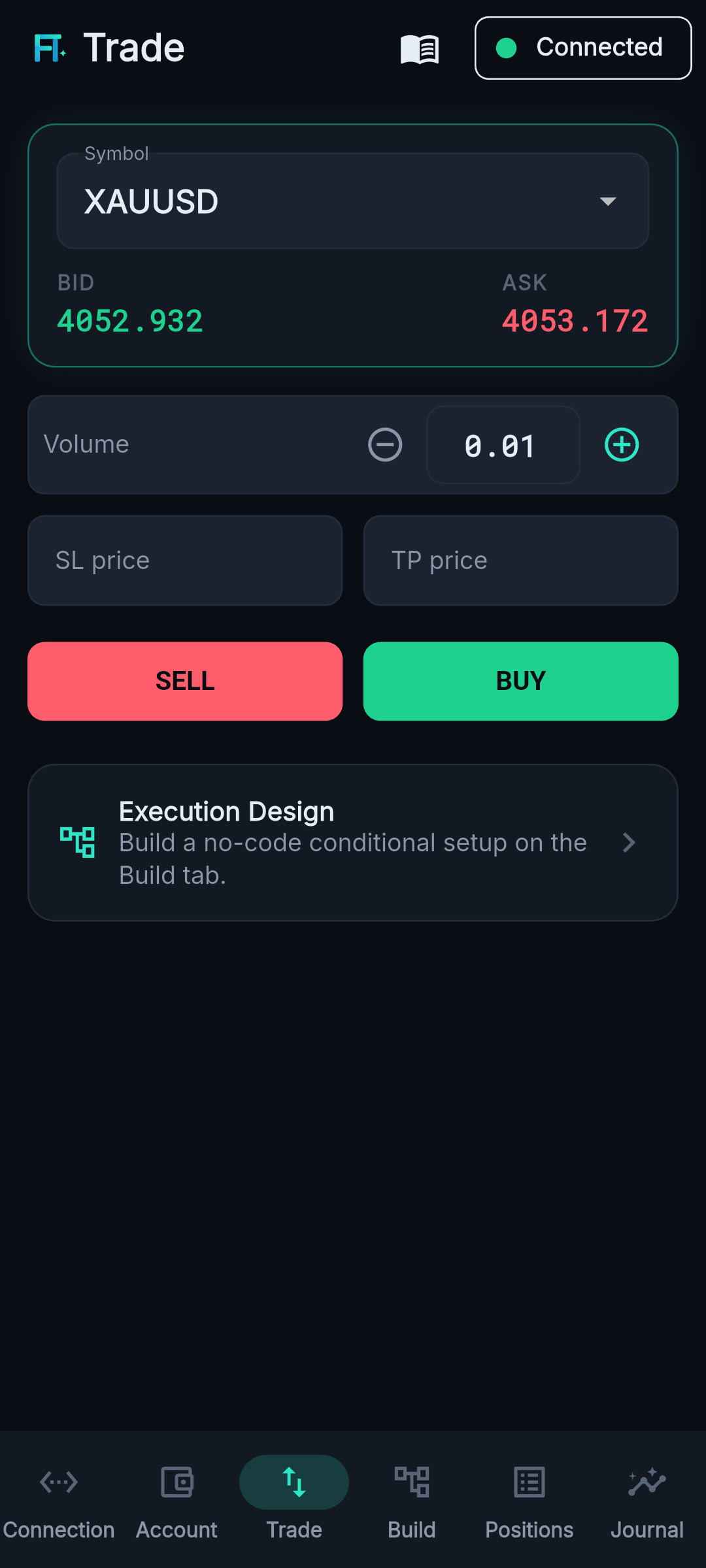
Trade — live order ticket
See it in action
Watch the demo.
From an idea to an automated trade — no code.
The problem
Raw MT5 wasn’t built for how you actually trade.
MetaTrader runs orders — but the decisions still live in your head and your hands. The moment you step away, your plan stops executing.
Manual, always-on
“If it breaks this level, then enter / move my stop / take partials.” Today that means watching charts and clicking — or writing your own code.
No conditional logic
MT5 has market and pending orders, not strategies. Multi-step, multi-condition setups have nowhere to live.
Coding tax
Real automation usually means custom code, compilers, and a server to babysit. Most traders don’t — and shouldn’t have to — write code.
The solution
One execution OS between you and the market.
TradeForgeOS turns the strategy in your head into automation that runs against your own MetaTrader 5 account — no code, no scripts, no middleman.
You design the logic once. TradeForgeOS watches the market for you and executes the moment your conditions are met — with built-in risk limits — so your plan runs whether you’re at the desk, asleep, or your phone is switched off.
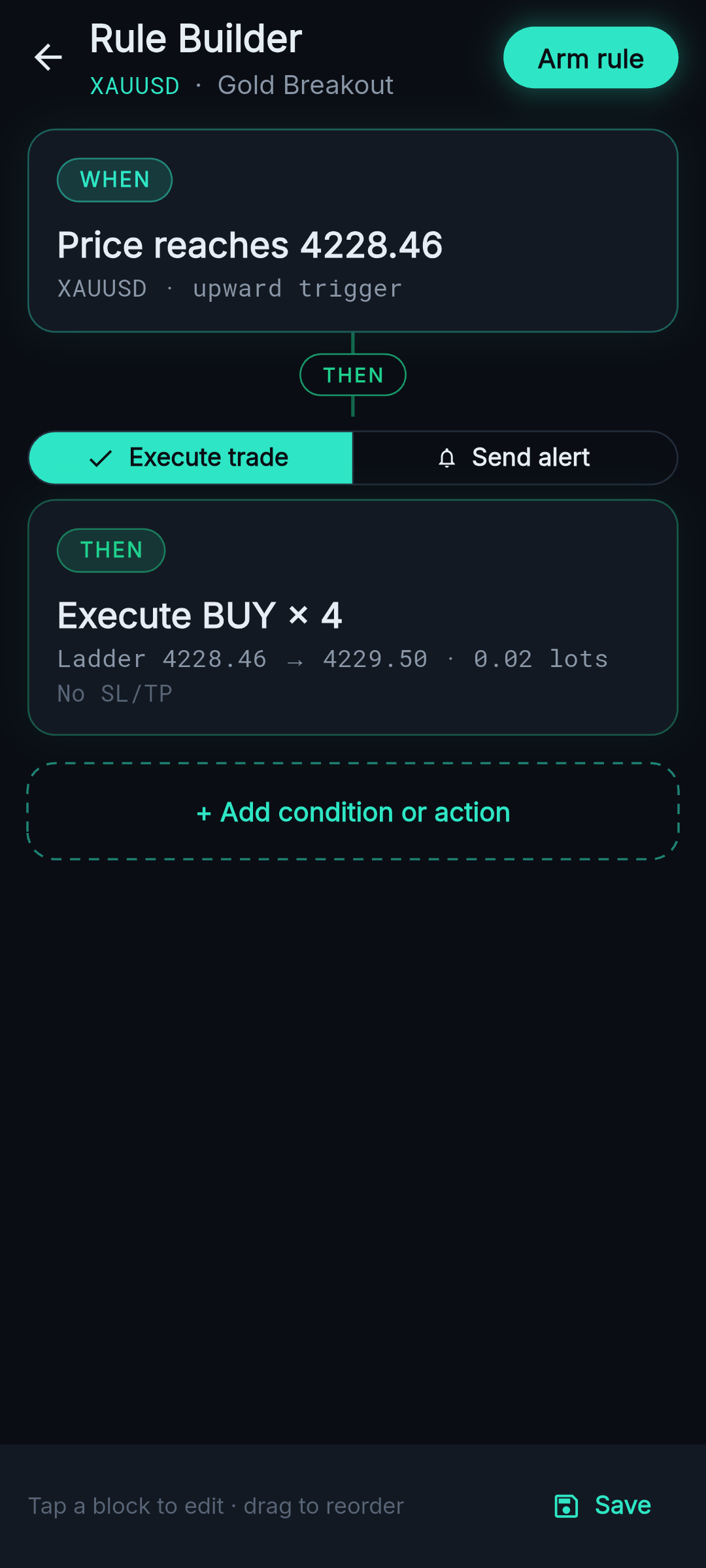
Builder — no-code WHEN / THEN
What’s inside
Everything to run your plan, nothing to code.
Everything you need, working as one OS.
Conditional Execution
“If price does X, then do Y.” Set your conditions once and TradeForgeOS acts the instant they’re met.
Visual Rule Builder
Drag, connect, done. Build your entry and exit logic visually on a canvas — no scripts, no code.
Private & Secure
Bank-grade encryption end to end. Your broker login and funds never pass through us — there’s no TradeForge server, by design.
Position Automation
Trailing stops, break-even, basket SL/TP, scale-outs and partial closes — managed for you after you’re filled.
Analytics & Auto-Journal
Every trade is captured and tagged automatically — equity curve, win rate, R-multiples and execution latency, no spreadsheet.
Always-On, Phone-Off
Every rule you arm runs 24/7 on your own machine — entries and position management — with your phone off, the app closed, the screen dark. One path, no toggle. Reconnect and you’re instantly caught up.
Alert-Only Rules
Want a heads-up instead of an auto-trade? Point any rule at Send Alert Only — the same conditions, no order placed. Get Telegram and in-app alerts, once or on every trigger — and they still fire during a Panic halt.
Multi-Account
Fan one rule out across all your MT5 accounts with per-account sizing. A live board shows each account at a glance — armed, halted, or disconnected — so a whole book runs from one screen.
Sneak peek
Built like a trading terminal. Feels like an app.
A dark, institutional HUD with an electric-teal pulse — designed for fast, confident execution.
Trade
Builder
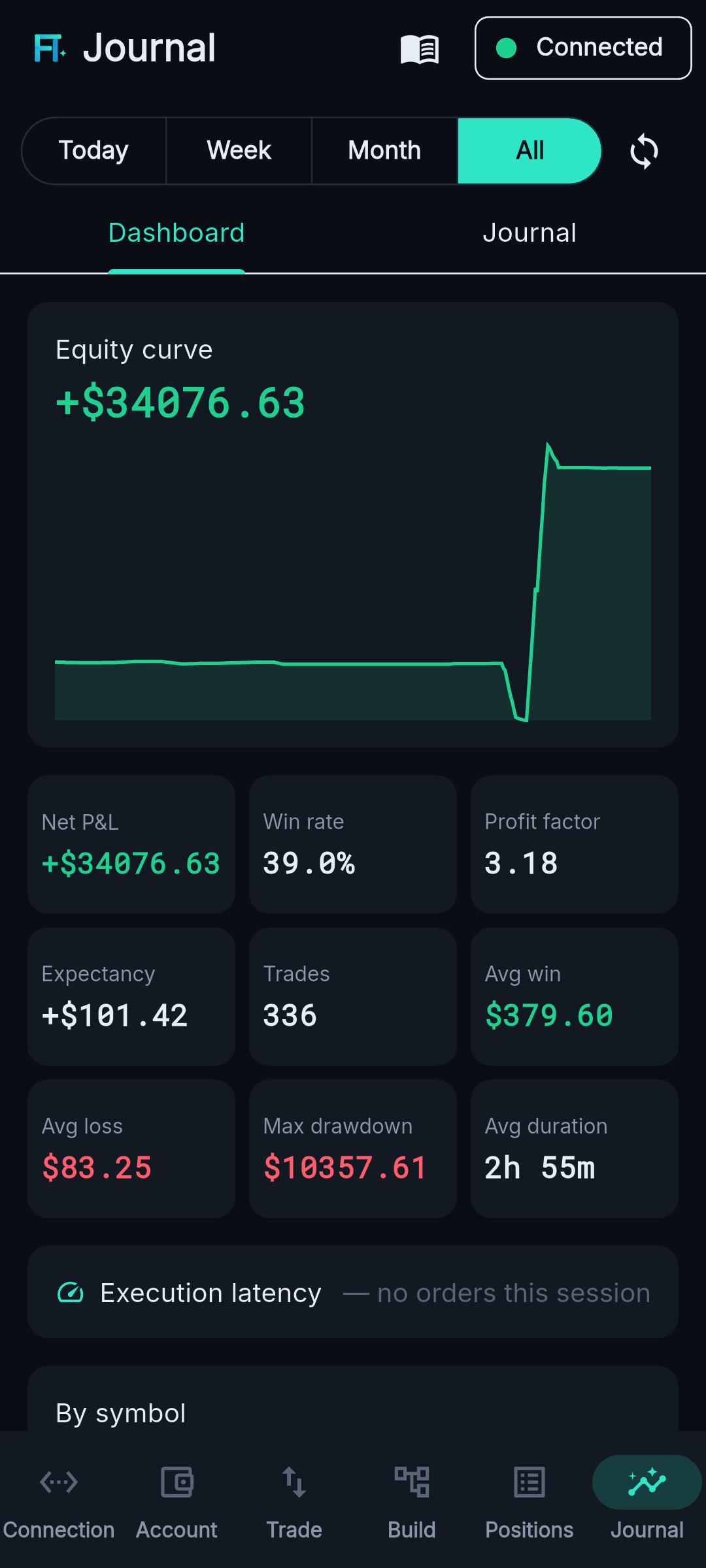
Dashboard
Interface preview of the TradeForgeOS app.
How it works
Live in three steps.
Quick one-time setup
A one-click installer connects TradeForgeOS to your MetaTrader 5. Set it once; it runs quietly in the background.
Pair your phone
Scan a QR code and your phone is securely linked in seconds — encrypted end to end.
Build & go live
Create your setups in the visual builder, arm them, and TradeForgeOS executes on your account in real time.
Where it runs
Your machine. From anywhere.
On your PC
Run it on your own Windows PC — your rules keep executing with your phone off. Zero cost, and your credentials never leave home.
Your own cloud
Run it on your own cloud server for true 24/7 — phone off, from anywhere. You own the box and the data.
Fully-managed cloud
We host it for you — invite-only, after the self-hosted path is battle-tested. No promises on dates.
FAQ
Questions, answered.
Which brokers does it work with?
Any broker that offers MetaTrader 5. TradeForgeOS drives your existing MT5 terminal, so if your broker supports MT5, you’re covered — no broker partnership required.
Do you ever see my money, password or trades?
No. There’s no TradeForge account and no central server. Everything runs between your own devices and your MetaTrader 5 — your broker credentials never leave your machine, and the connection is fully encrypted.
Do my rules keep running if my phone is off?
Yes — that’s how it works, with no separate switch. Every rule you arm runs on your own PC (or your own cloud server) with your phone off, the app closed and the screen dark — entries and position management. A cloud server gives you true 24/7. When your phone reconnects, anything that ran while you were away is synced and you’re notified.
Can I get an alert instead of an auto-trade?
Yes. Any rule can be Send Alert Only instead of Execute Trade — it watches the exact same conditions but places no order, and notifies you on Telegram and in-app (once, or every time it triggers). Alerts keep firing even while trading is halted by Panic, because a heads-up isn’t an order.
Can I run more than one account?
Yes. Fan a rule out across multiple MetaTrader 5 accounts with per-account position sizing, and watch them all on one board — each account shows as armed, halted or disconnected. Panic and per-account controls apply across the whole book.
What happens when I edit a rule that’s already running?
Saving the change re-arms it with your new logic automatically — the old version stops and the new one takes over, with no duplicate. An unarmed rule stays unarmed. During a Panic halt an entry rule is left disarmed until you Resume, while protective position-management rules keep managing.
Do I need to know how to code?
No. The whole point is no-code: you build your logic visually. There’s nothing to script and no code to write.
Is this “automated trading” / a trading-bot marketplace?
It’s your automation. You design the rules; TradeForgeOS executes them on your own account. We don’t sell signals or black-box robots, and risk limits are always on.
What do I need to get started?
An MT5 account (use a demo first), a Windows PC (or a cloud server), and the TradeForgeOS app. The installer and in-app guide walk you through setup.
Is there an iOS version?
Android is first; iOS is on the roadmap. Join early access to hear when it lands.
Early access
Be first to forge your execution.
Get launch access, build invites, and behind-the-scenes updates. No spam — just the build.
We’ll only email you about the launch. Unsubscribe anytime.